
Moneylogz App · Documents
Receipts and invoices, read and matched.
Every purchase record you give Moneylogz, uploaded or forwarded, becomes structured data: vendor, date, total, tax and line items. Then it is paired with the bank or card charge that paid for it, so a statement is never missing its paperwork.
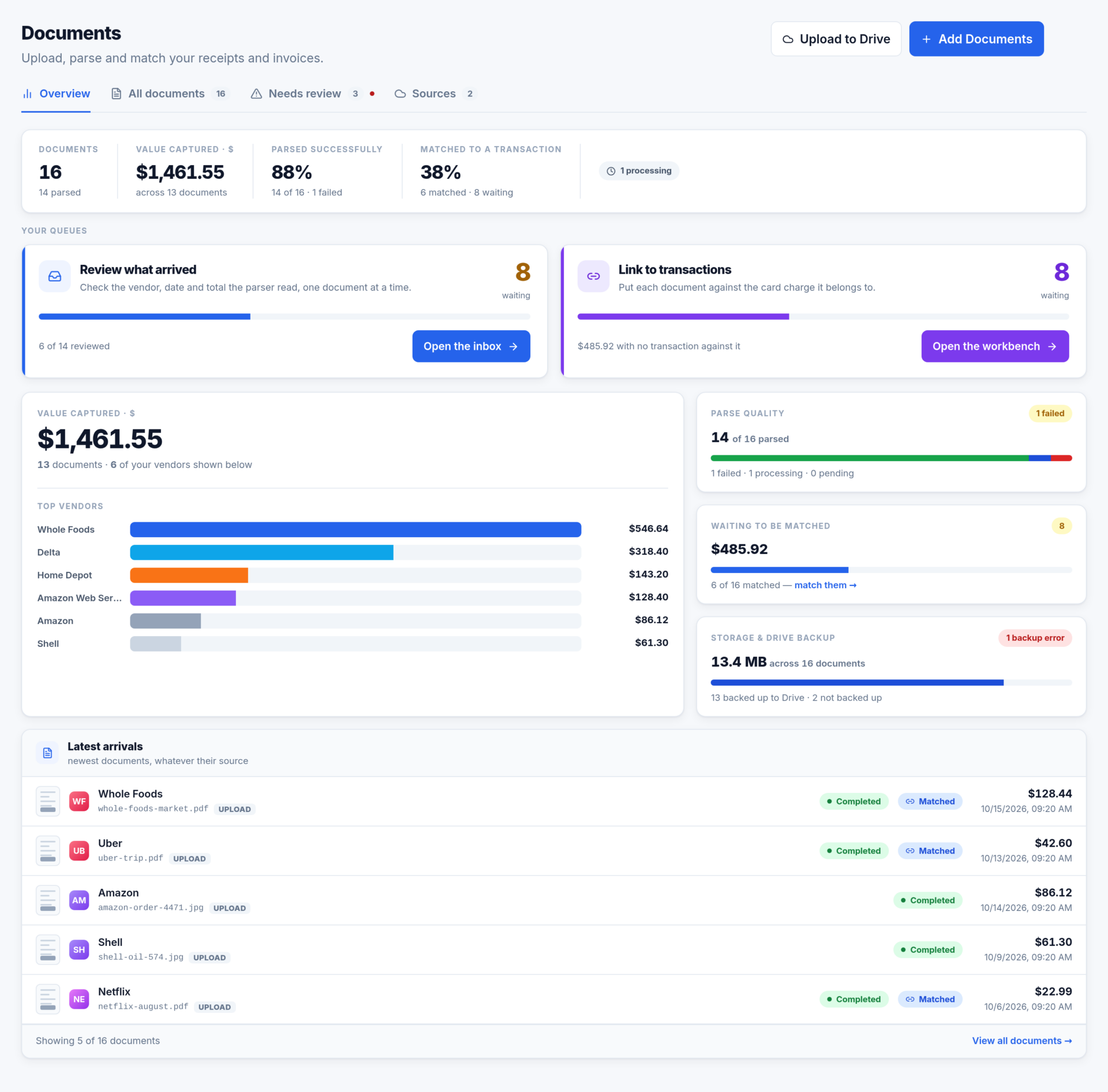
Two ways a document gets in
Every file goes through the same parser however it arrived, and the Sources tab shows what each source has brought in.

Upload
- PDF, JPEG, PNG or HEIC, up to 10 files at a time. Multi-page PDFs are read in full as one document. Attach a file to a specific transaction and it is linked as soon as it is parsed.

Forward by email
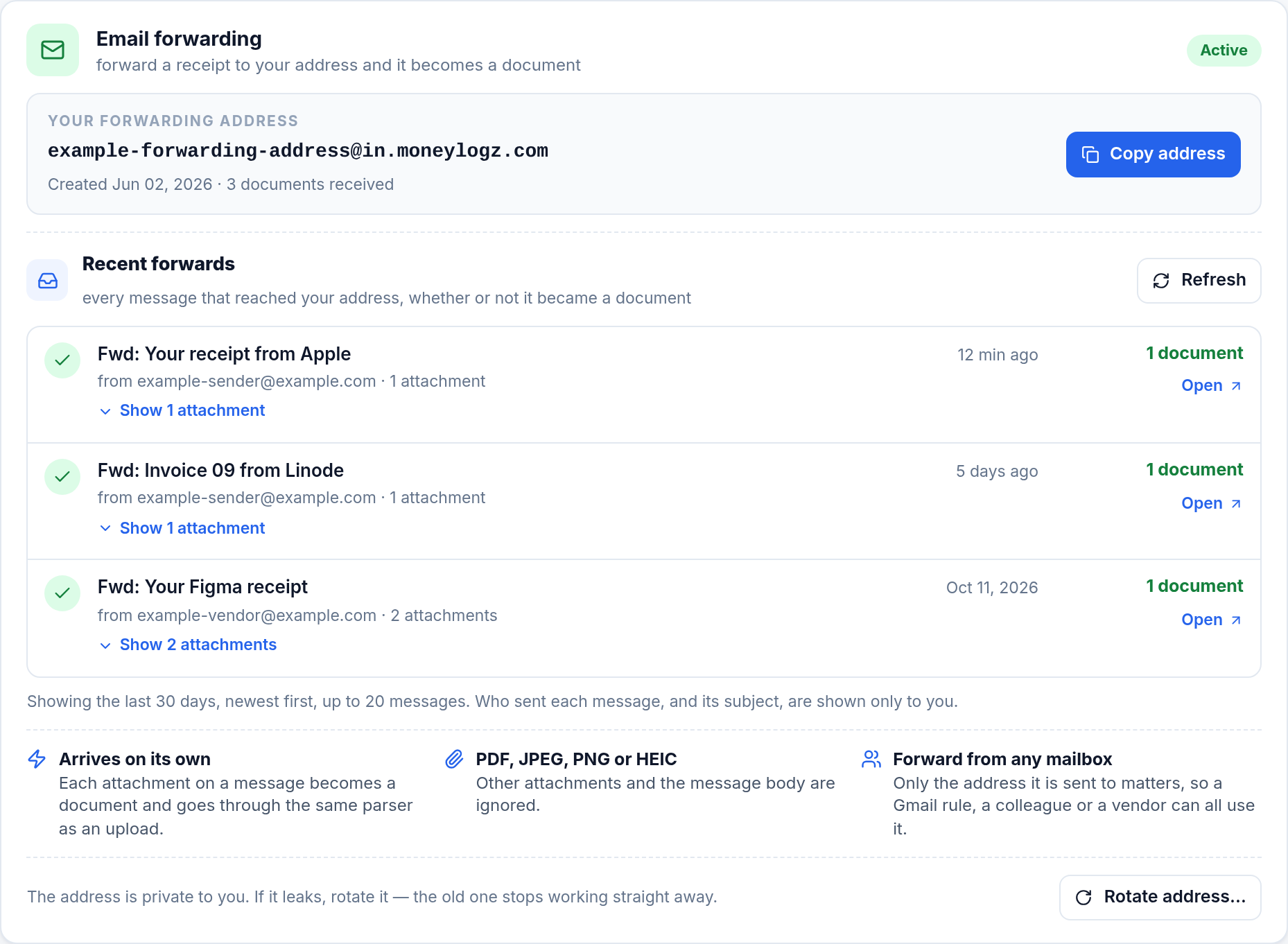
- Every account has a private address. Each attachment on a message sent there becomes a document, from any mailbox: a forwarding rule, a colleague, or a vendor billing the address directly.
Your own forwarding address
Found on the Sources tab and opened for you the first time you visit, so there is nothing to switch on. Give it to a vendor, a colleague or a mail rule; only the address the mail is sent to is matched.
- Up to 10 attachments and 10 MB per file; the message body is ignored.
- Recent forwards lists every message for 30 days, including the ones turned away, with the reason in plain English.
- A file already in your library is never added twice.
- Rotate address retires it instantly if it leaks. There is no grace period, and the card says so before you confirm.
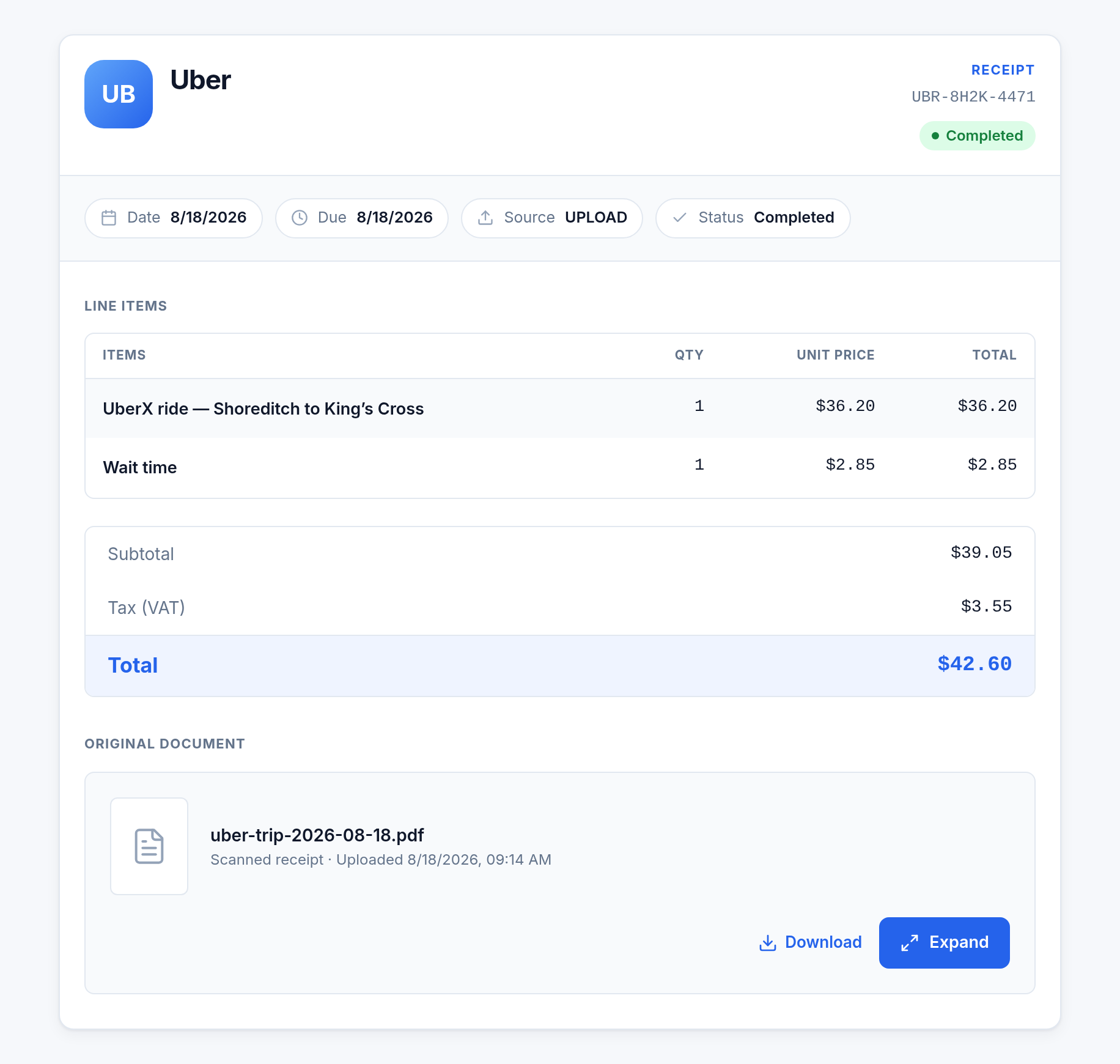
What gets read off each document
- Vendor, taken from the header or payee line and normalised so the same merchant groups together.
- Date: the transaction date, not the date you uploaded it.
- Total and tax, with VAT or sales tax when stated separately.
- Line items, when the layout makes them legible.
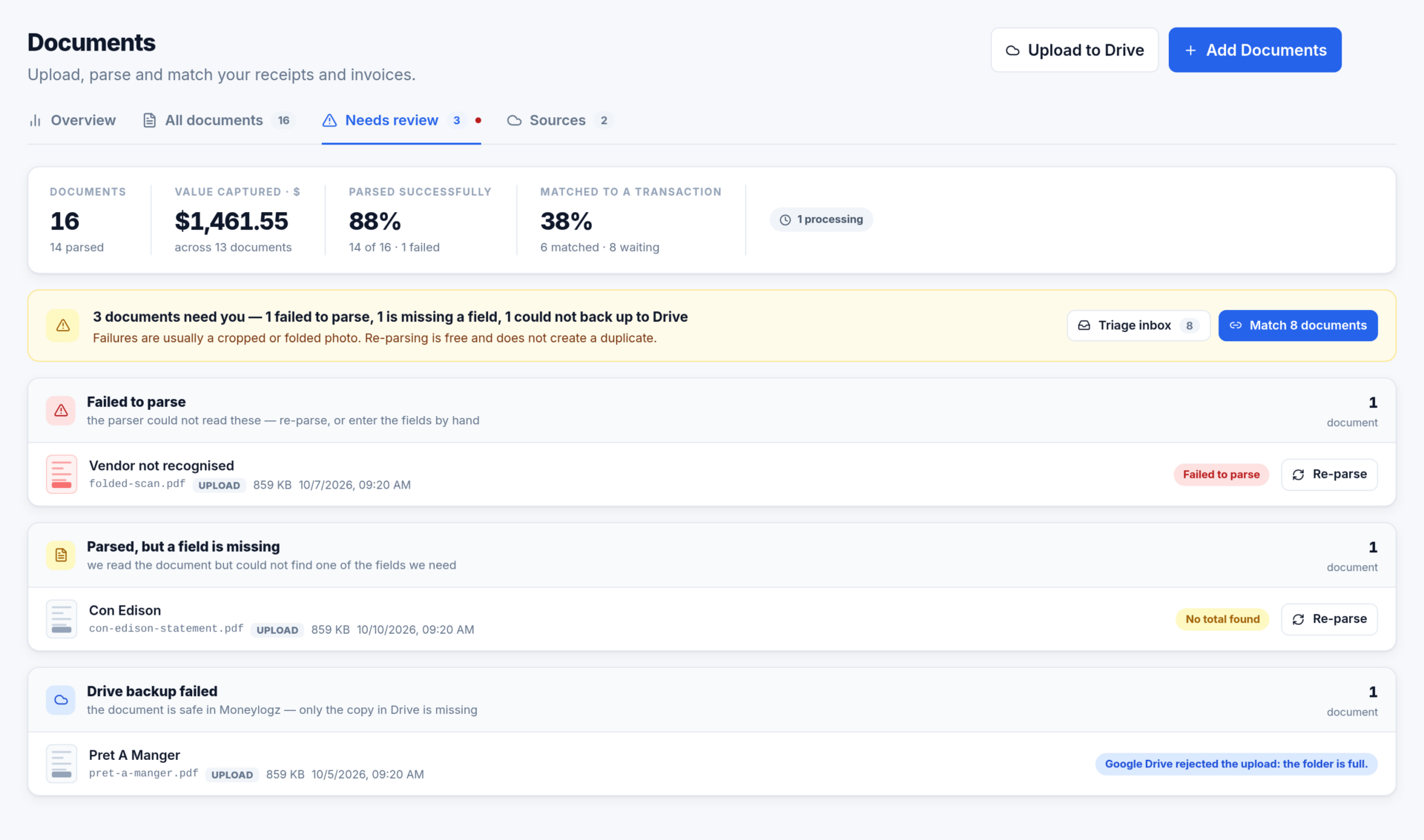
A document moves through four statuses: Pending, Processing, Completed and Failed. Anything that did not finish cleanly is collected under Needs review, grouped by what went wrong.
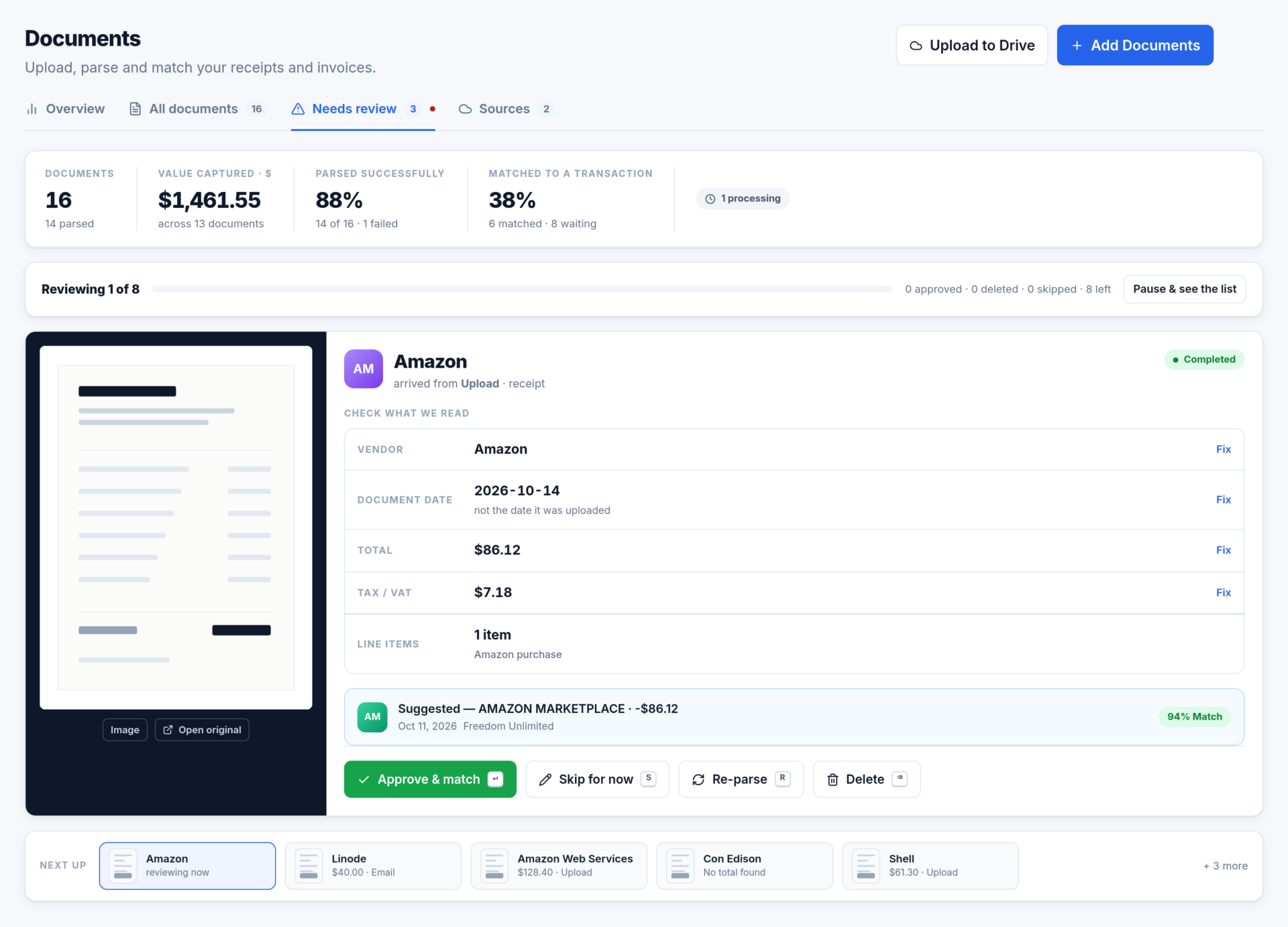
Review what arrived, one at a time
Every parsed document waits in the inbox for one check. The file sits on the left, the four fields on the right, and the transaction Moneylogz thinks it belongs to underneath. Each field has its own Fix; a correction saves without leaving the queue.
Approve clears it. When a transaction has been suggested the button reads Approve & match and does both.
Link each document to the charge that paid for it
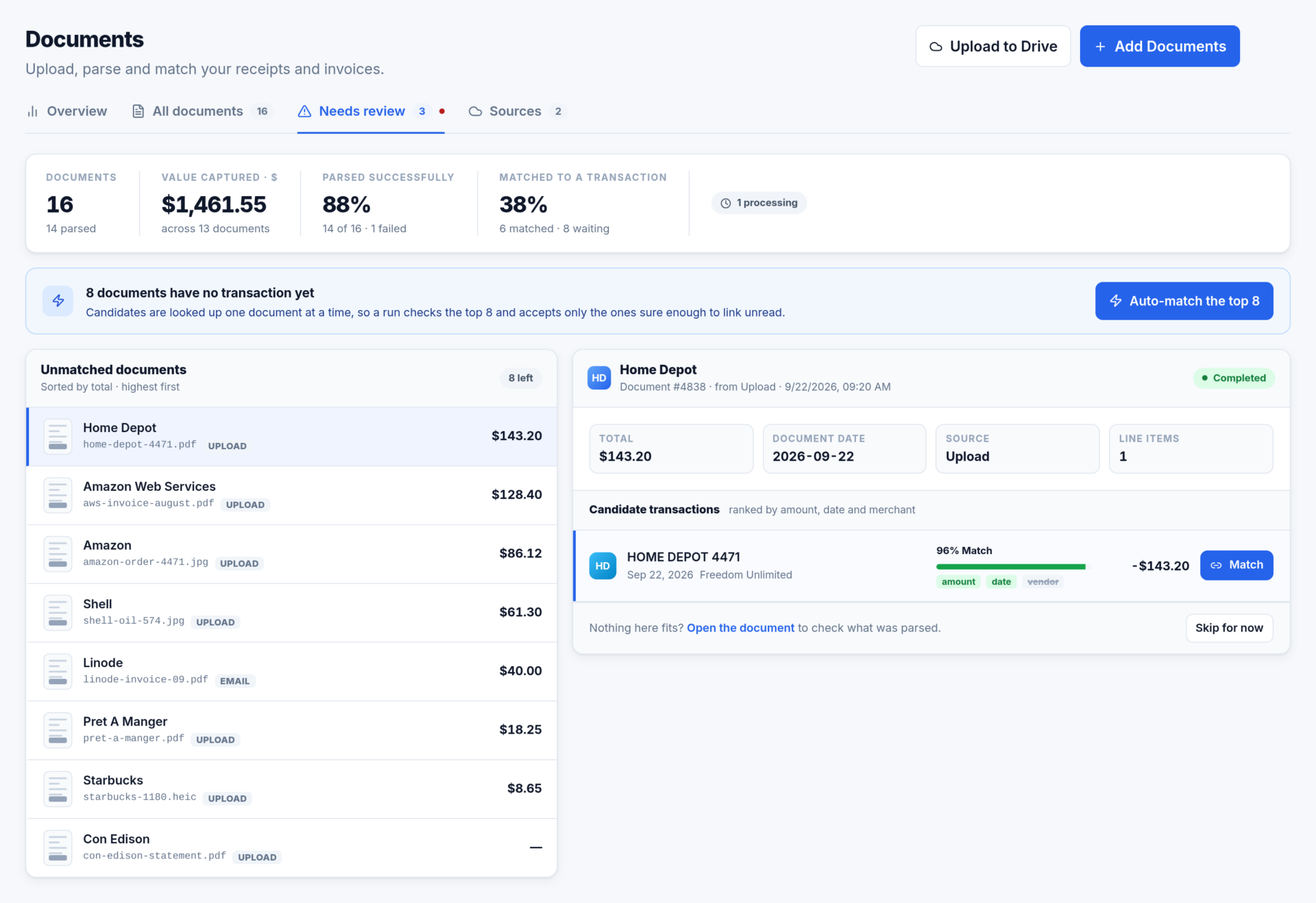
The match workbench starts from your documents, largest first, and ranks the transactions each one could belong to. Every candidate shows what it scored on: amount, date and vendor.
- 80% and above is confident enough to accept without opening the document, and the bar the auto-match run holds itself to.
- One run takes the first 25 documents and reports exactly what it matched, skipped and failed.
- The same scoring runs the other way on Transactions › Needs document, so a statement can be reconciled charge by charge.
- Any link can be undone with Unlink from the transaction’s inspector.
Needs review, bulk actions and backup
Needs review keeps one group per problem, so a failed parse is never mixed in with a failed backup: Failed to parse, Parsed but a field is missing, Drive backup failed.
On All documents, select rows (or Shift-click a range) and a bar carries Re-parse, Upload to Drive and Delete for everything selected. Filters by merchant, source and status combine, and the selection survives changing them.
Deleting is not reversible, and the confirmation says how many documents it covers. Copies already backed up to your Drive folder are left there.
Questions about Documents
Which files are accepted?
PDF, JPEG, PNG and HEIC (WebP and HEIF by email too), up to 10 MB per file, 10 files per upload or 10 attachments per message. A flat, well-lit photo of the whole document parses far better than a sharp photo of half of it.
What if I forward the same invoice twice?
Nothing is added twice. The repeat is listed in Recent forwards as “Already in your library” with a link to the document you already have.
Does every transaction need a document?
No. Income, transfers, payments, interest, fees and refunds are marked “No document needed” and left out of coverage, so 100% means every charge that should have paperwork has it.
Forward your first invoice today
14-day free trial on every plan. Your forwarding address is ready the moment you open the Sources tab.