
Moneylogz App · Accounts
Every bank, card and brokerage, in one place.
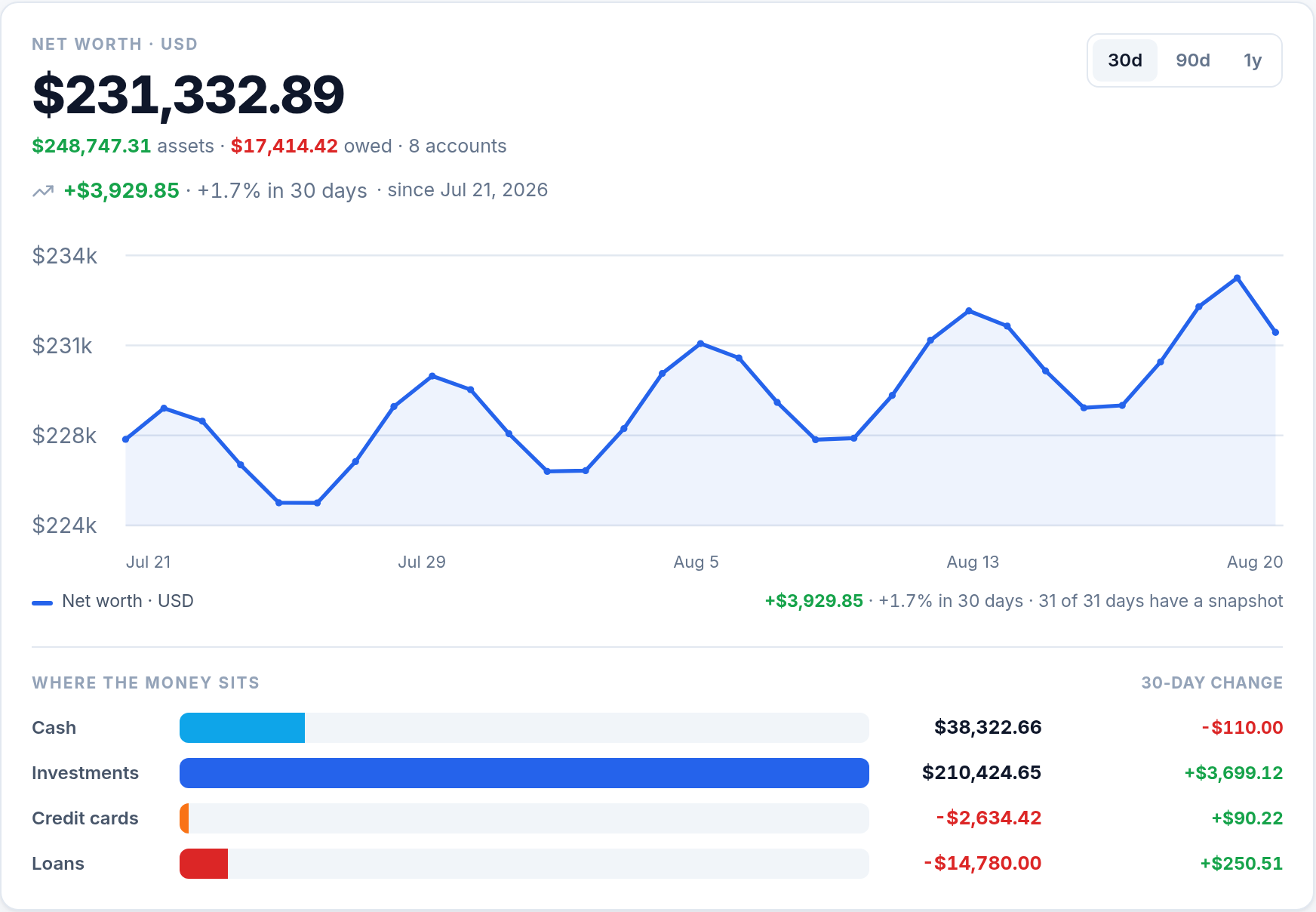
Net worth, where the money sits and how it is moving, from every account you connect. Each figure is the balance your institution last shared, recorded once a day so you can see the trend, and different currencies are never added together.
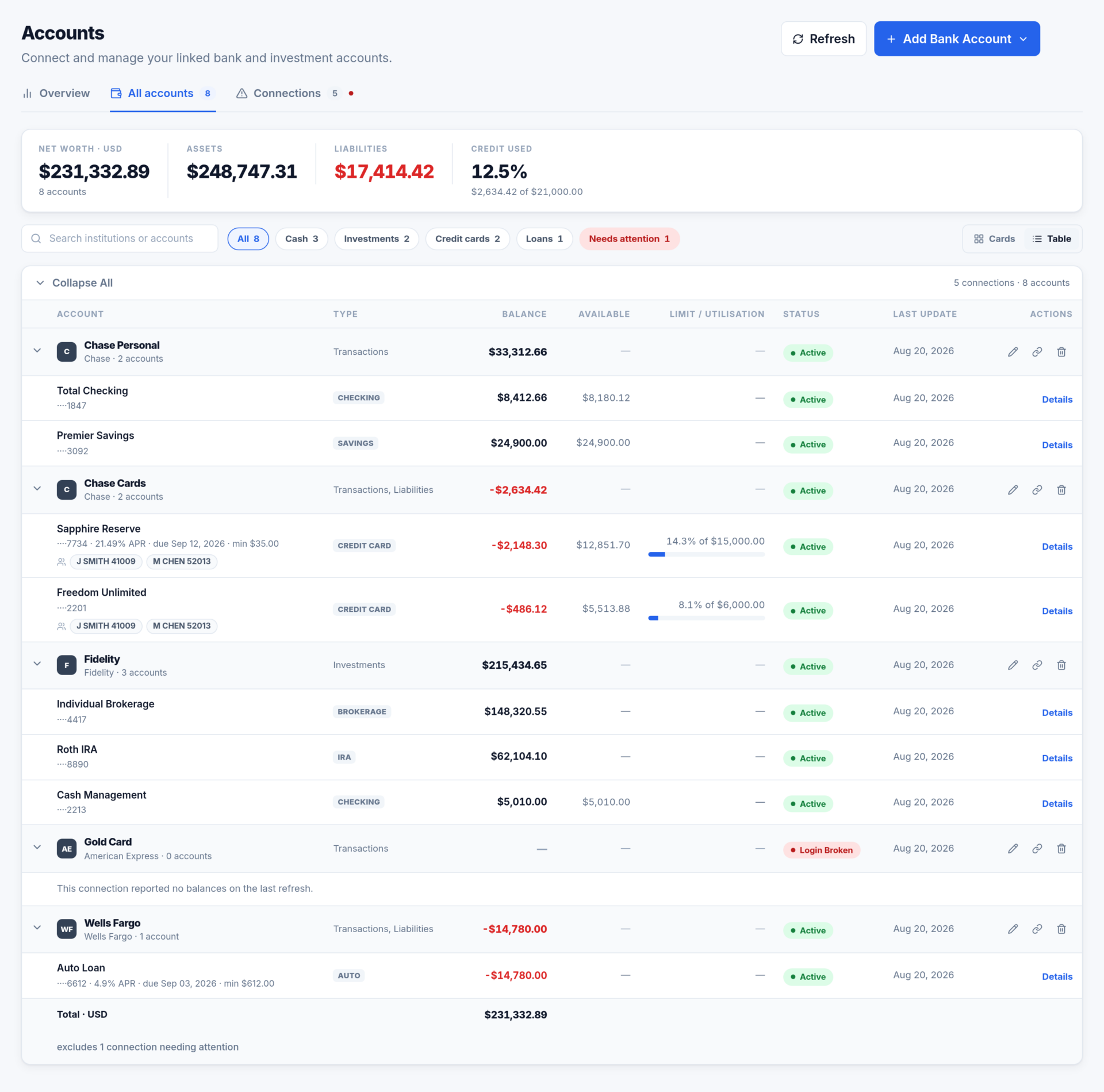
Every account, on one list
All accounts has one row per sub-account, grouped under the connection it came from. Search by institution, name, type or last four digits, filter by type, and switch between cards and a table.
- The footer totals what is on screen, one line per currency, never a blended one.
- A connection that needs attention is left out of the total, and the row beneath it says so.
- Credit cards show their limit and how much of it is used.
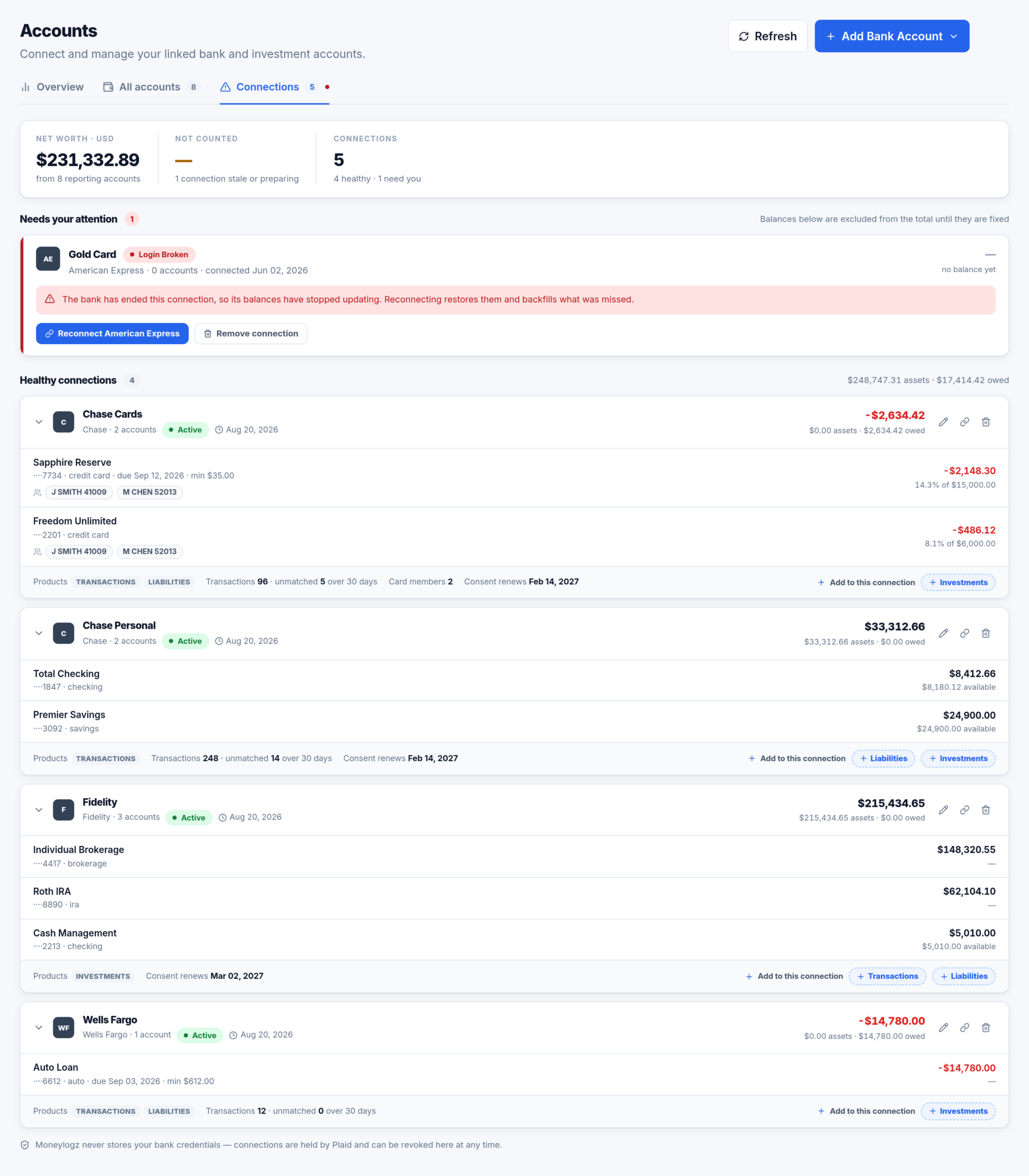
Connections, ordered by health
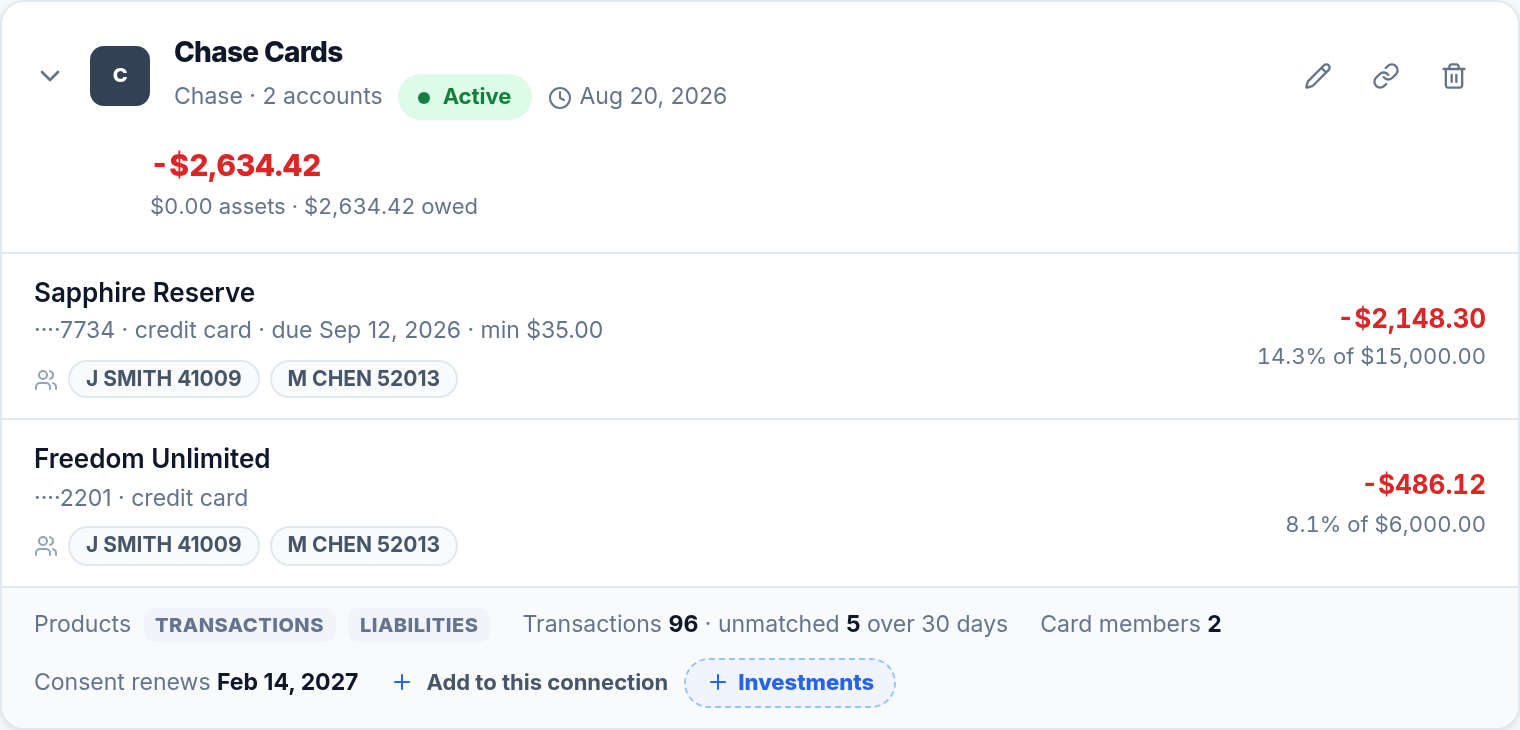
Anything broken or still preparing comes first, with the reason, the accounts affected and the button that fixes it. Healthy connections follow, each with the products it shares and how many of its transactions in the last 30 days still need a document.
- Rename, Reconnect and Remove sit on every card.
- Where the bank sets one, the date it will next ask you to re-authorise.
- Transactions, Liabilities or Investments can be added to a connection you already have.
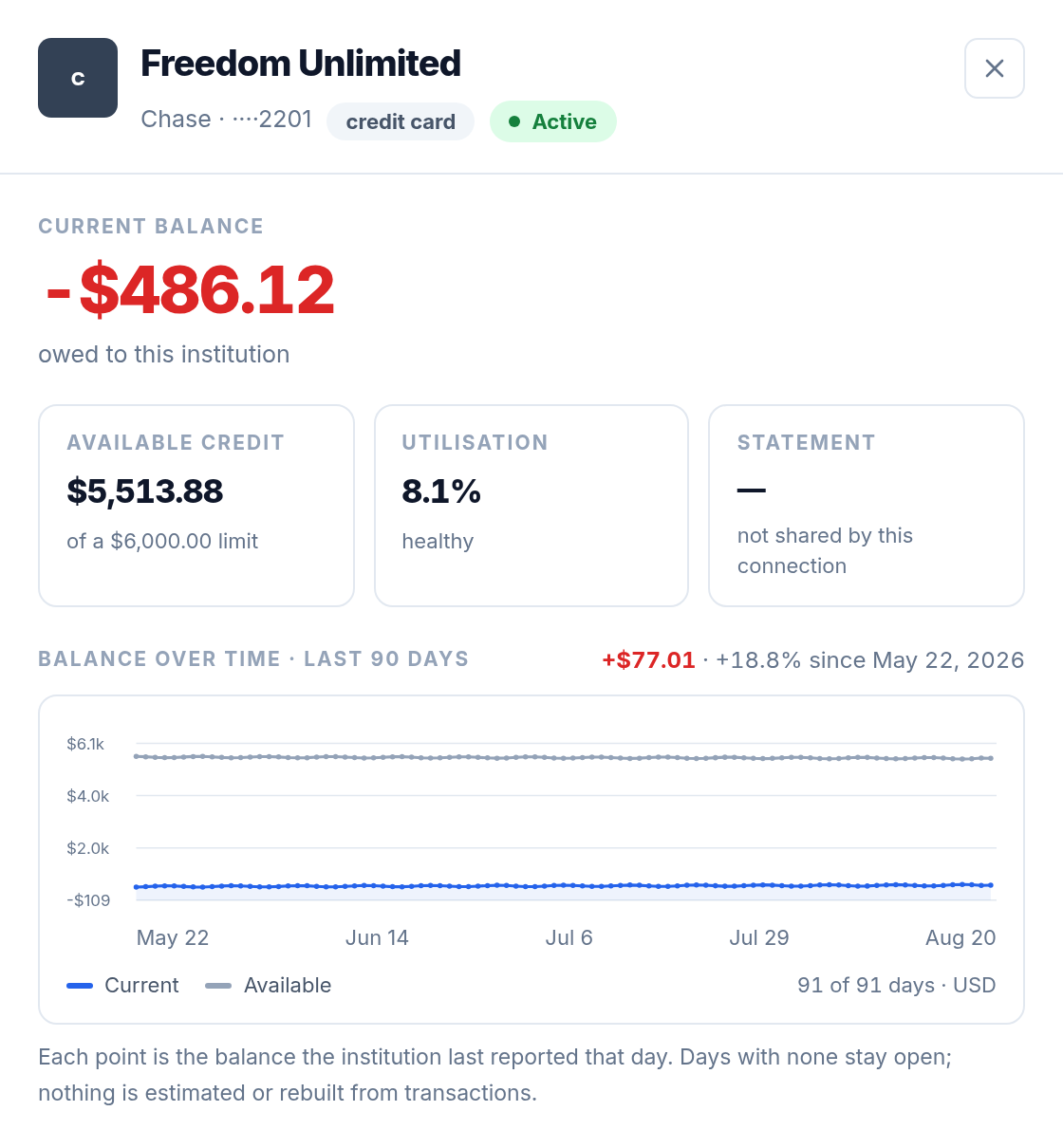
Everything about one account
Click any account, on any tab, and a drawer opens with its full detail.
- Balance, available credit and utilisation, with the statement date and minimum payment where the bank shares them.
- Balance over time for the last 90 days, with available credit drawn as a second line.
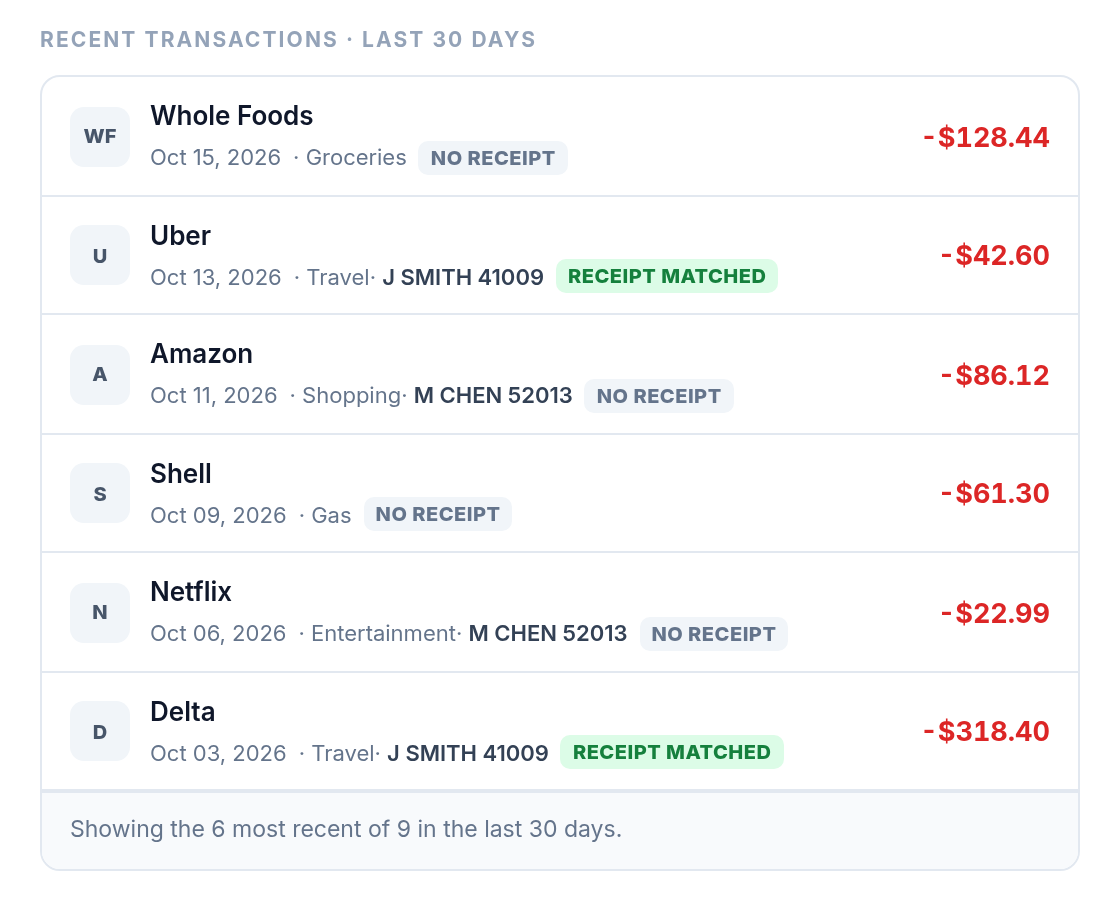
Its last 30 days of transactions
The account’s most recent charges, each with its category, the card member who made it where the bank names one, and whether a receipt is already matched to it.
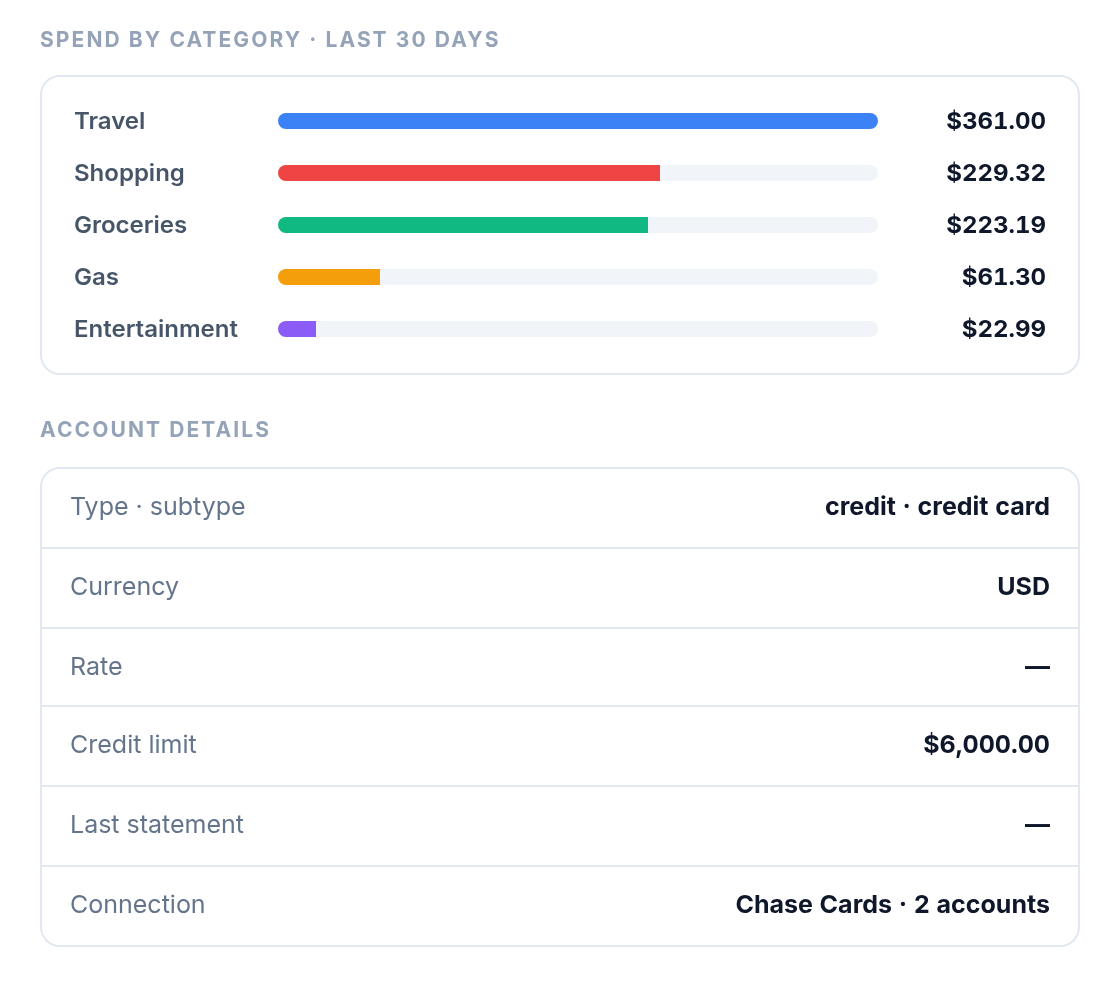
Where that account’s money went
Spend by category over the last 30 days, beside the details the institution reports for the account: its type, currency, rate, credit limit, last statement and the connection it belongs to.
Card members on shared accounts
When your bank reports who used which card, as American Express employee cards do, each card member seen in the last 30 days is listed under the account. Click a name and Transactions opens narrowed to that person’s charges.
Questions about Accounts
How current are the balances?
They are the balances your institutions last shared. Banks send new figures on their own schedule, typically one to three times a day; Refresh brings in whatever has already arrived, but cannot make a bank send sooner.
Are different currencies added together?
No. Every figure is stated per currency and Moneylogz never converts between them, so no total depends on an exchange rate.
Why does a new account say “Not enough history yet”?
Moneylogz records each balance once a day. A trend line appears after about two days and 30-day changes after about a month; until then the account says so rather than showing a flat line or a change of zero.
Bring every account into one view
14-day free trial on every plan. Connect a bank and your balances are there on the next read.