
Moneylogz App · Investments Read-only
Your portfolio, read from your brokerages.
Holdings, allocation, cost basis and activity from the brokerage, IRA, 401(k), HSA and 529 accounts you connect. Moneylogz reads what your institution reports. It never buys, sells, transfers or changes a position.
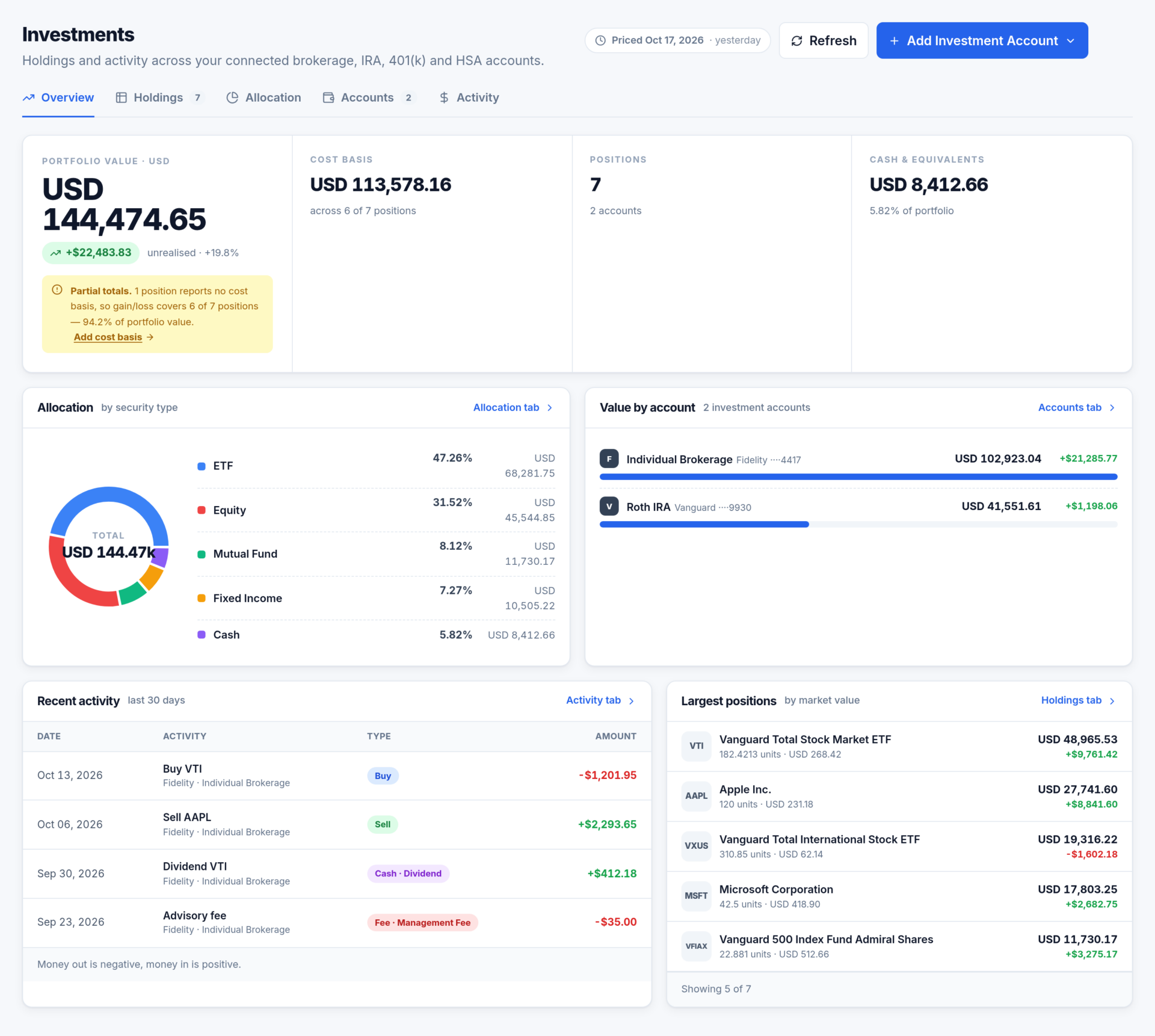
Read-only, by design
This is a window onto your brokerage, not a trading screen. Nothing you do in Moneylogz reaches your institution, and that is enforced on Moneylogz’s servers.
Moneylogz reads
- Positions: ticker, quantity, price, value
- Cost basis and unrealised gain or loss
- Buys, sells, dividends, fees, transfers
- Account balances, per currency
Moneylogz never
- Places, changes or cancels a trade
- Buys or sells a position
- Moves money in or out
- Changes anything at your institution
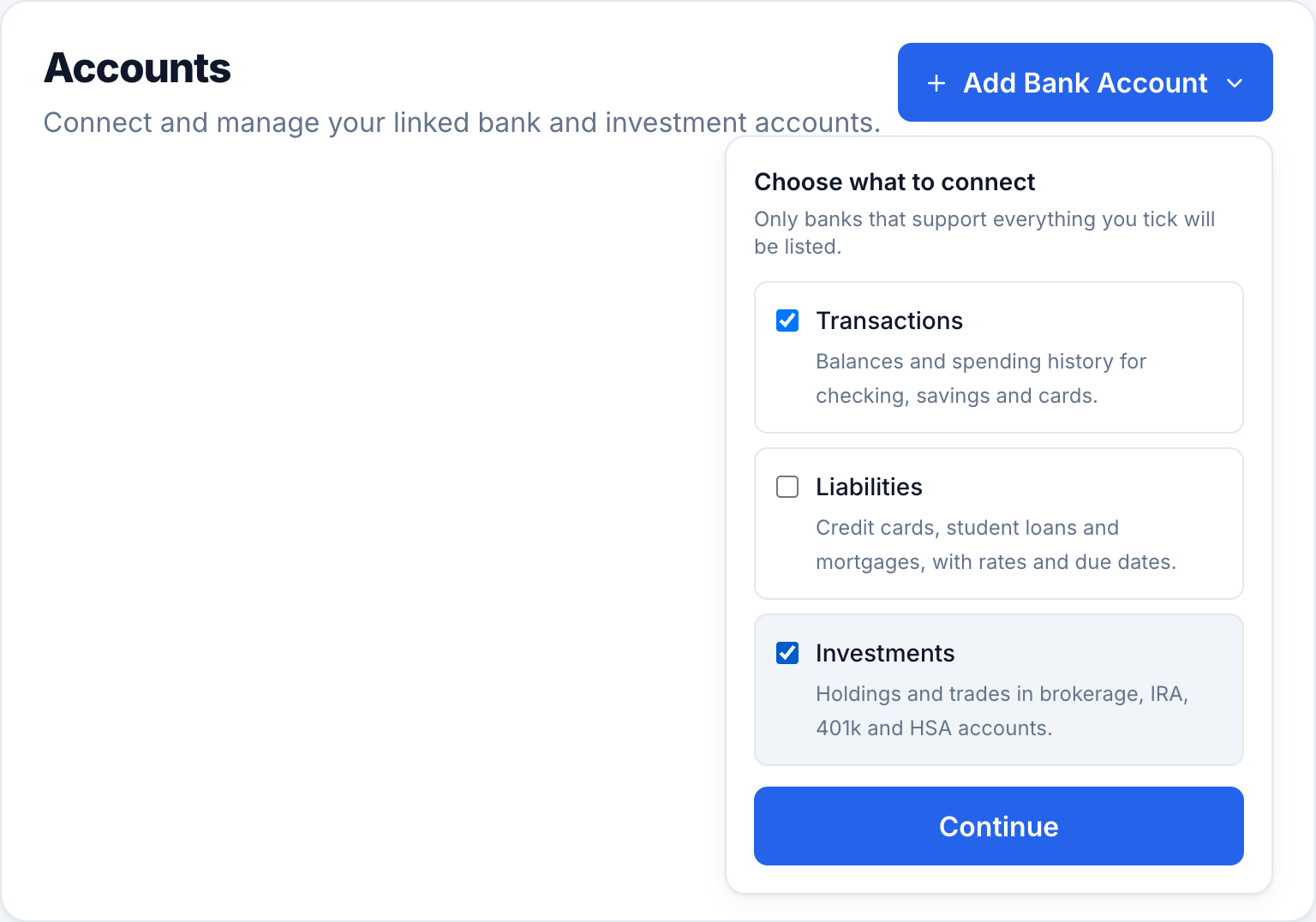
Connect with Investments ticked
A brokerage is connected the same way as a bank, from Add Bank Account on Accounts, with one difference: tick Investments in “Choose what to connect”. That is what brings holdings and trades across.
- Only institutions that support everything you ticked are listed.
- Brokerage, IRA, 401(k), HSA and 529 accounts can be selected individually.
- One connection is one account credit, whatever you tick.
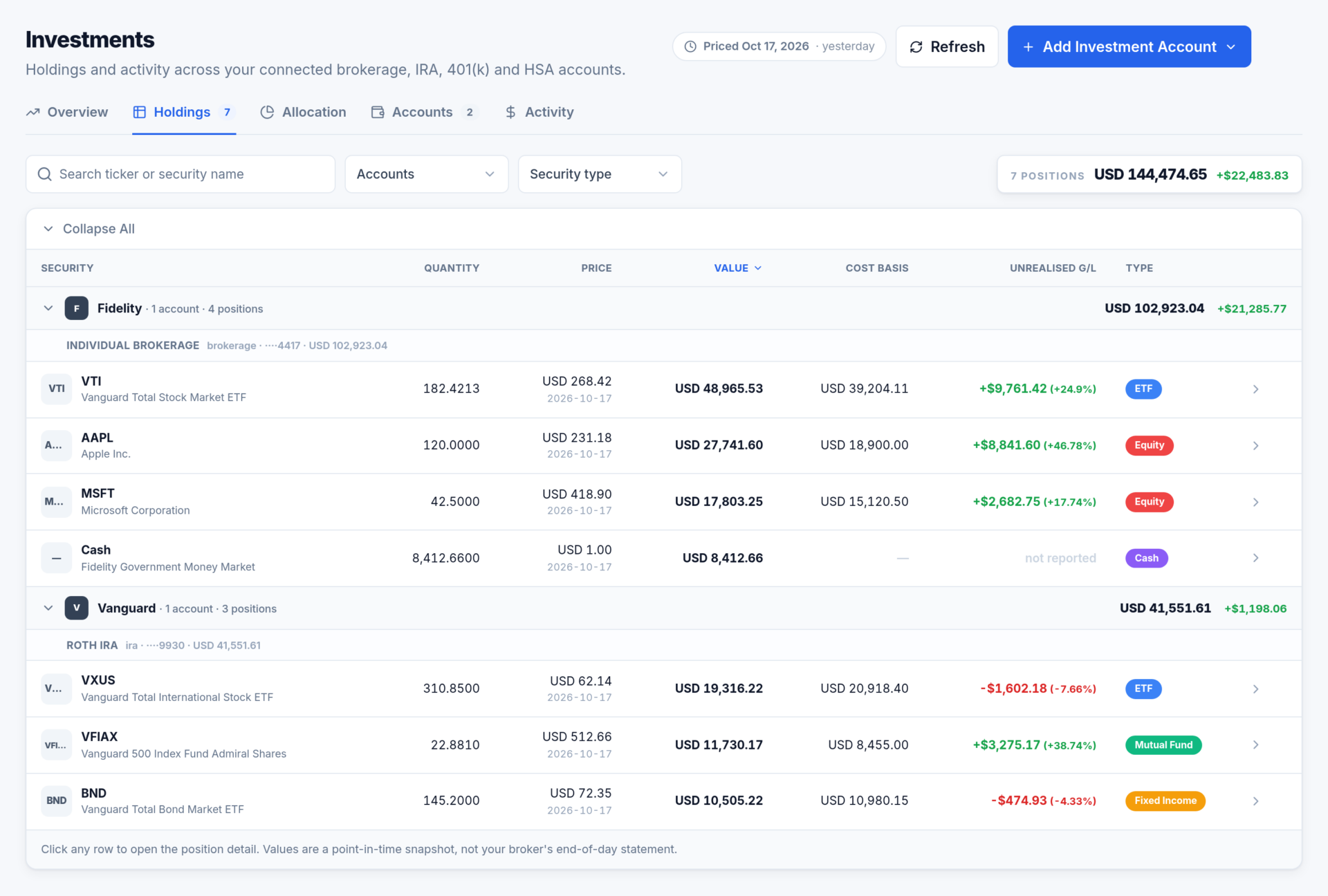
Holdings
Every position your institutions reported, grouped by institution and account, each with its own subtotal. Search by ticker or name, filter by account or security type, sort by any column.
- Quantity, the institution’s price and the date it was struck, market value, cost basis, unrealised gain.
- Totals per currency. Different currencies are never added together.
- The count at the top recomputes as soon as a filter narrows the table.
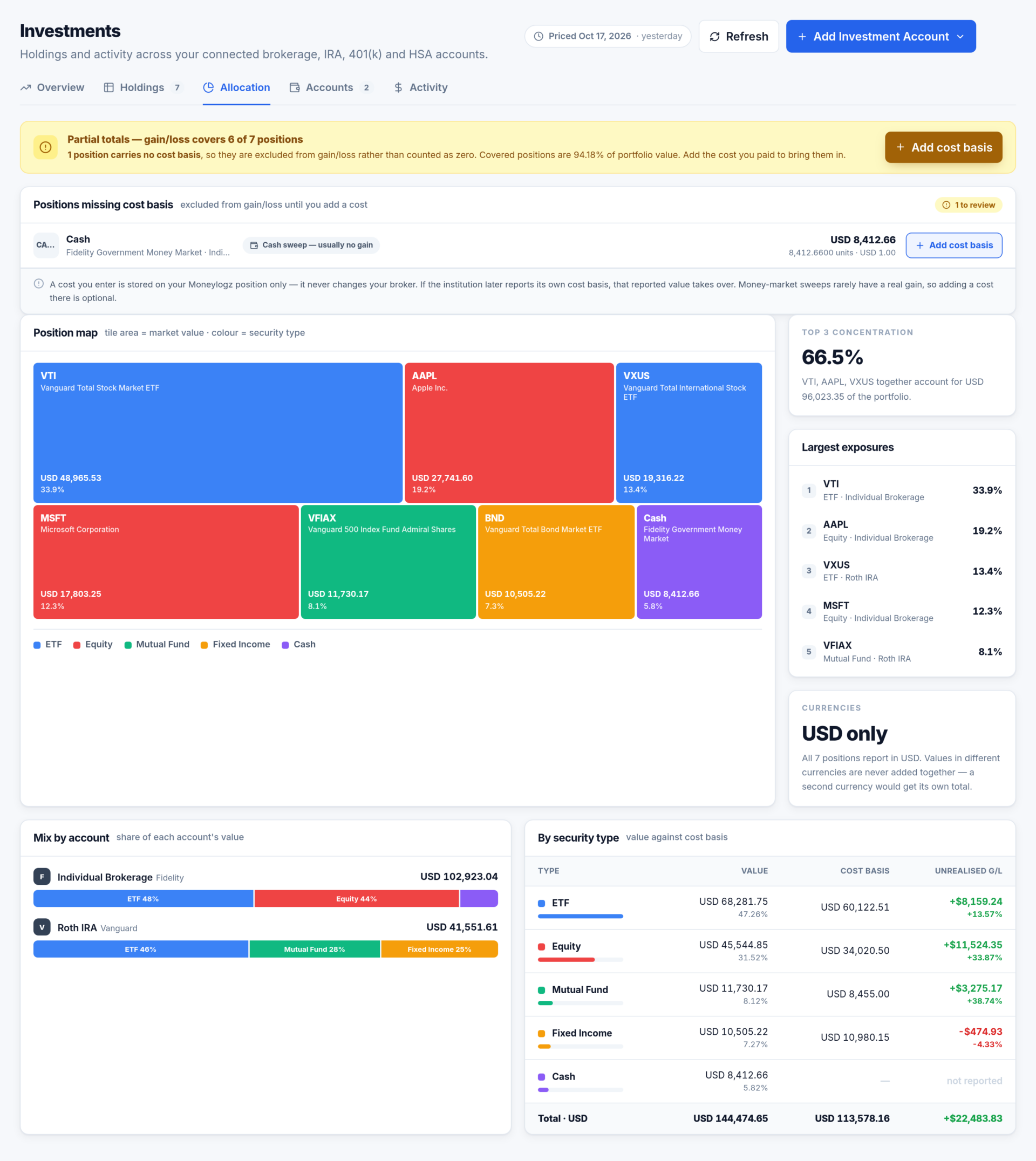
Allocation: where the money actually sits
- Position map: one tile per position, area by value, colour by security type.
- Top 3 concentration: the share your three largest positions carry between them.
- Mix by account, so a bond-heavy IRA next to an equity-heavy brokerage reads at once.
- By security type: value, cost basis and gain per type, with the portfolio total underneath.
Activity, and the position drawer
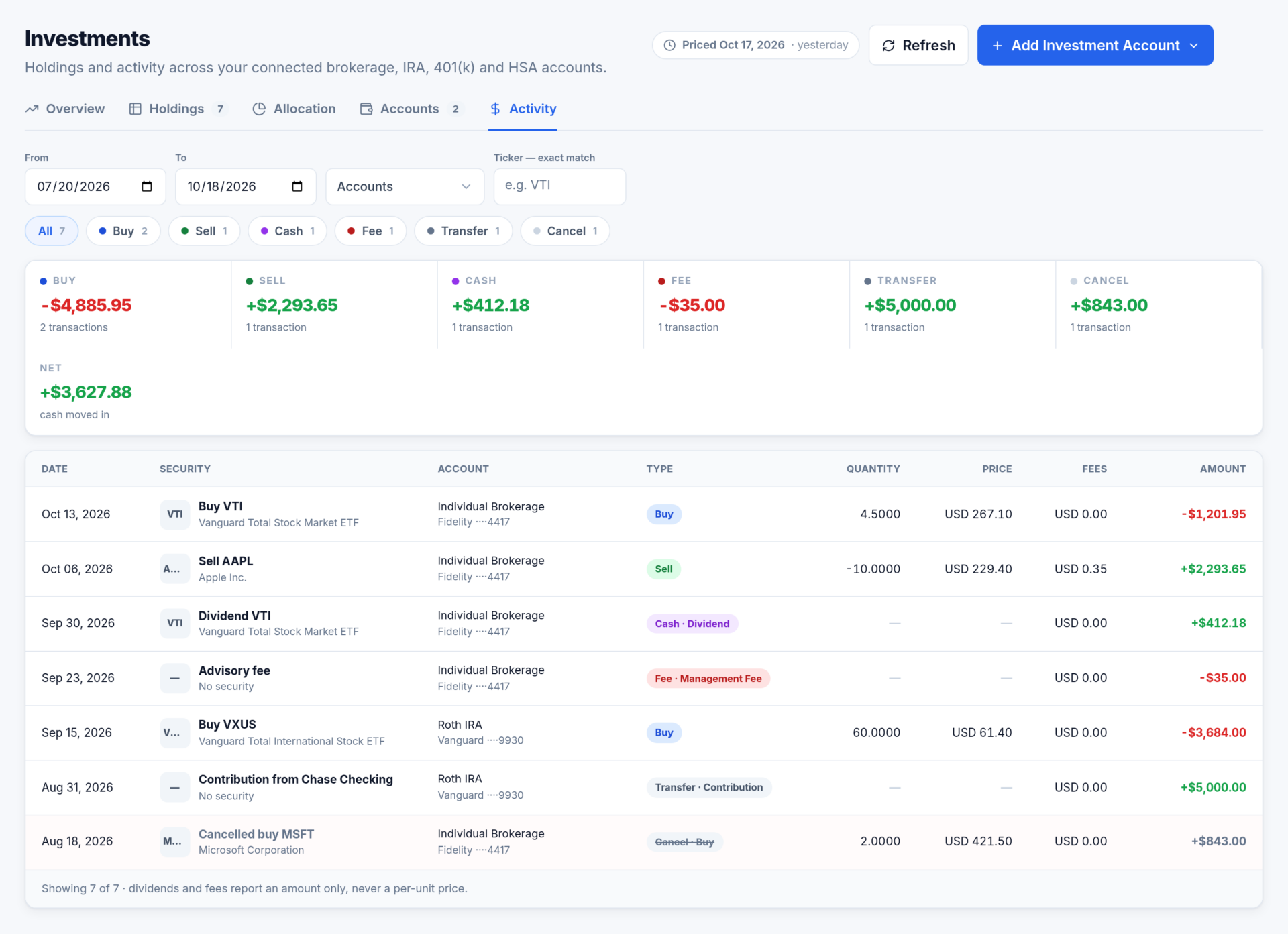
Buys, sells, dividends, fees and transfers over a date range, with filters by account, type and ticker. Amounts are signed: money leaving the account is negative. A cancelled trade stays visible as a cancellation rather than quietly disappearing.
Click any position anywhere on the screen and a drawer opens with its full detail: quantity, price and the date it was struck, cost basis, average cost per unit, every account holding it, and its last 12 months of activity.
Questions about Investments
Can Moneylogz buy or sell for me?
No. Investments is read-only. Moneylogz cannot place, change or cancel a trade, move money, or alter anything at your institution. Adding a cost basis changes a number on your Moneylogz position only.
Are the values live?
No. Positions are valued when Moneylogz last read them, and institutions price them once per market day. The pricing date is shown in the header and turns amber once it is more than two days old.
My holdings come back empty.
The connection was most likely made without Investments ticked, so it carries no investment data. Reconnect the institution with the box ticked.
See your whole portfolio in one place
14-day free trial on every plan. Connect a brokerage with Investments ticked and your positions are there on the next read.