
Moneylogz App · Transactions
Every charge, and the paperwork behind it.
The bank and card activity your institutions share, for any window you choose: what went out, what came in, where it went, and which charges still have no receipt or invoice against them.
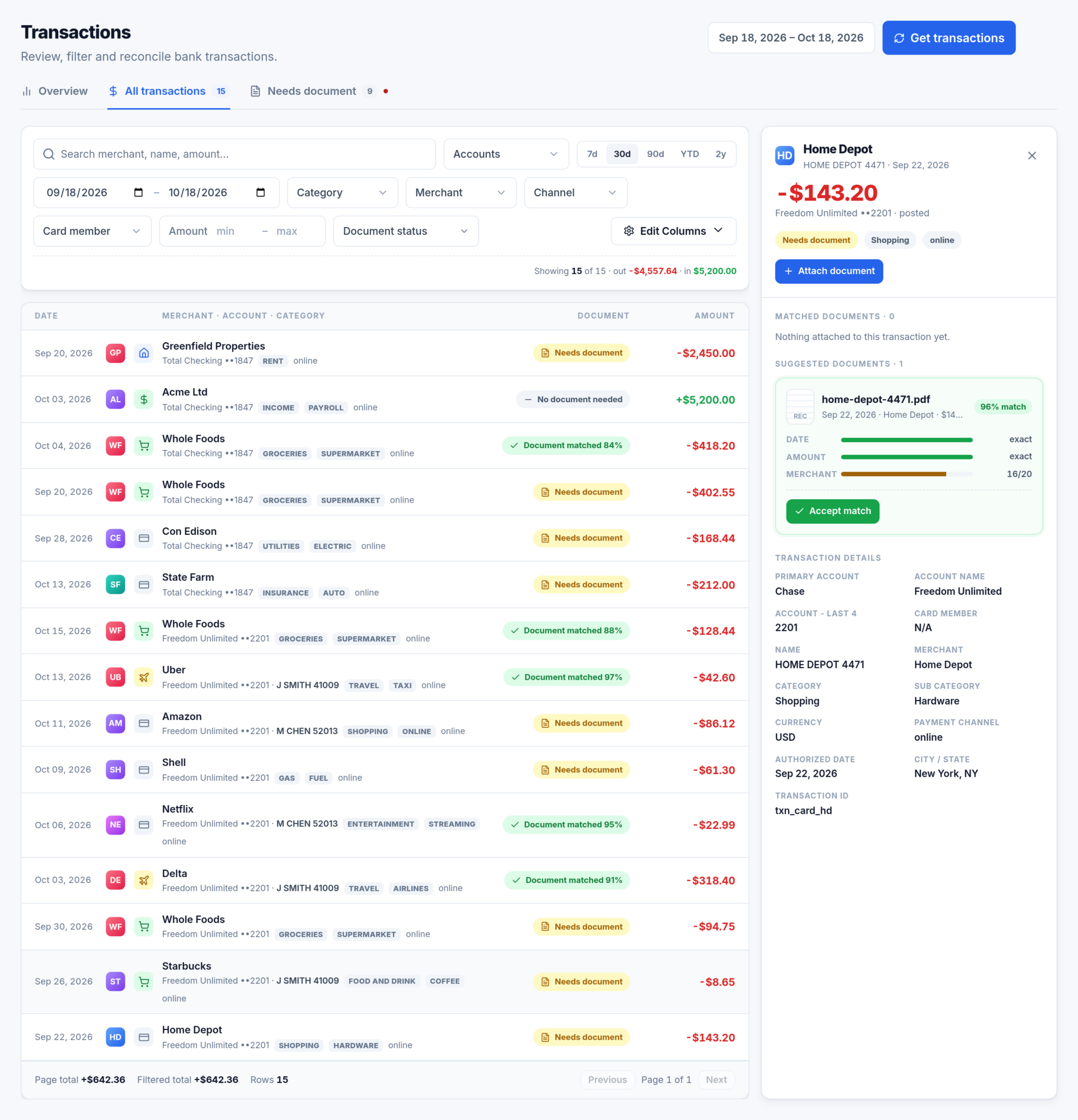
A list to work through, with an inspector beside it
All transactions is the full list, 50 rows to a page, with running totals underneath. Click a row and the inspector docks beside the list rather than over it.
- The amount, the account, whether it has posted, and its document status.
- Matched documents, each with its own Unlink.
- Suggested documents, best first, accepted with one click.
- Every field your bank sent: merchant, channel, authorised date and the charge’s identifier.
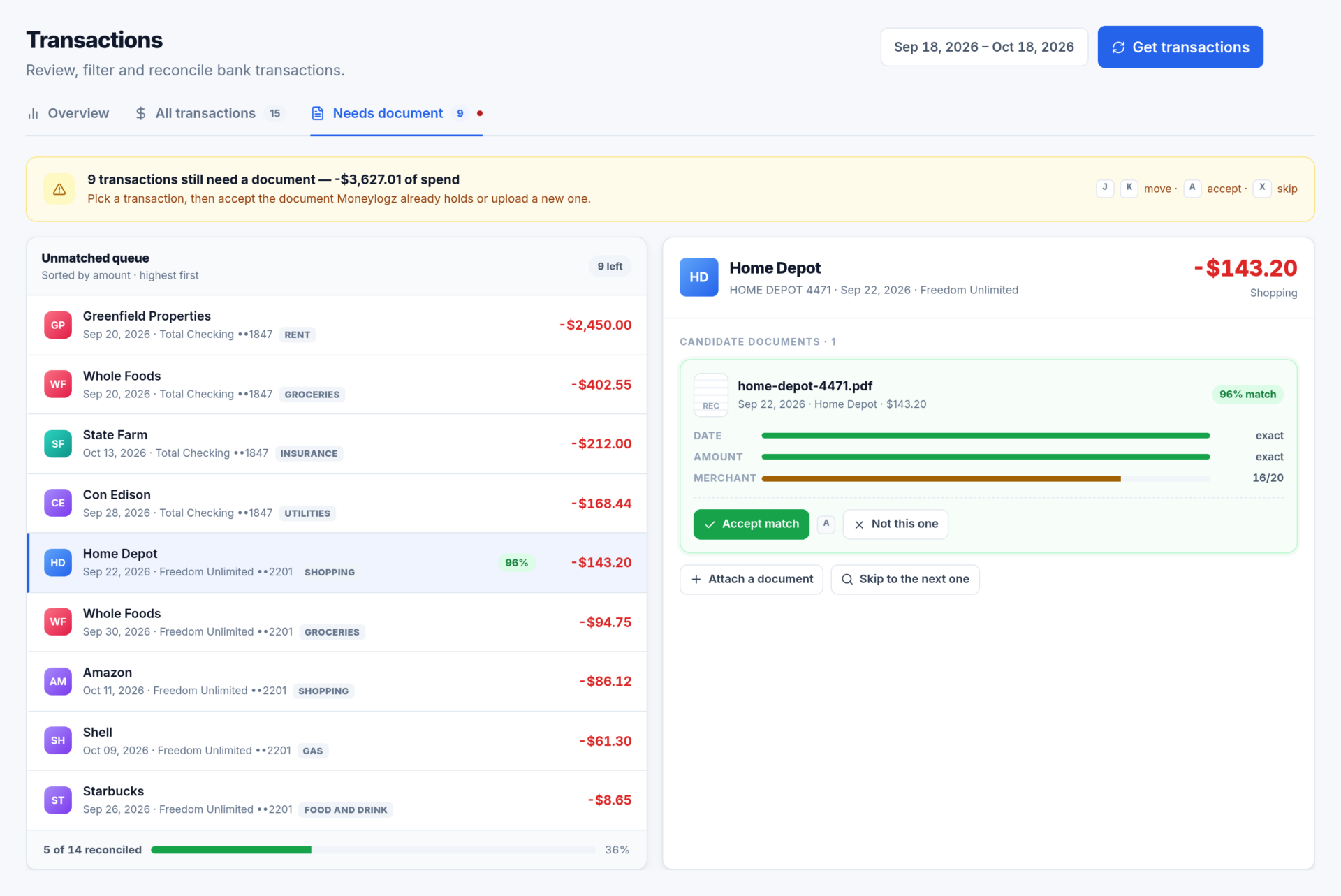
Needs document: the reconcile queue
Everything in the window still missing its paperwork, largest first, with the count on the tab. Pick a transaction and the documents that could pay for it are ranked beside it, each scored on date, amount and merchant.
- Accept match links it in one click, and a progress bar shows how much of the window is reconciled.
- Income, transfers, payments, interest, fees and refunds are marked No document needed and left out.
- Set the account to one card and the dates to its statement period to reconcile a statement line by line.
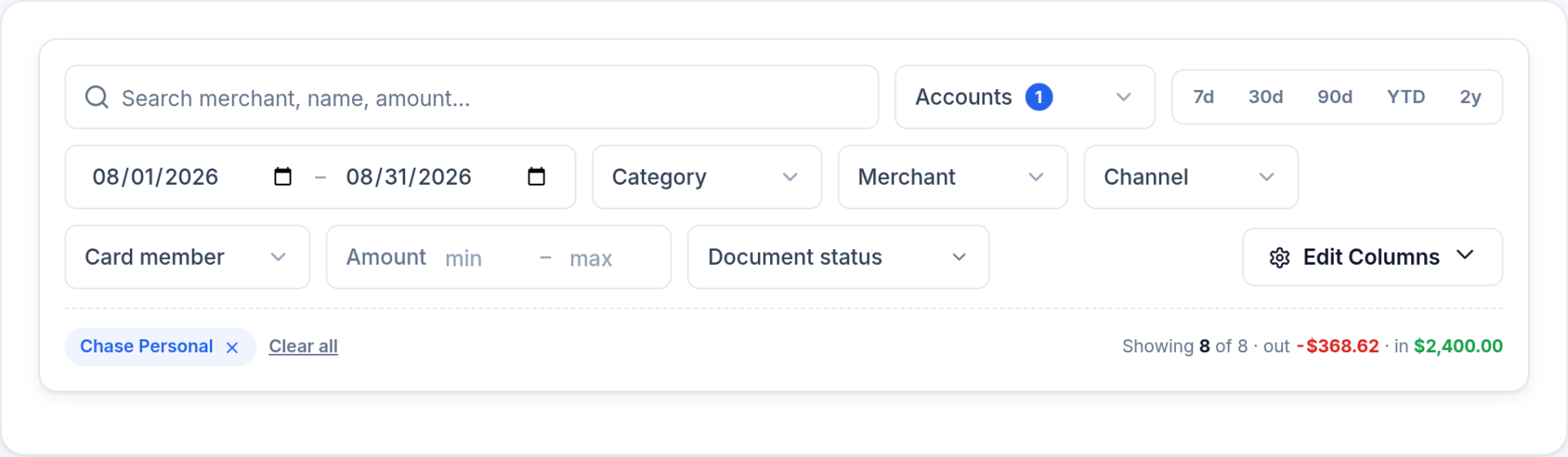
Filter by anything your bank sent
Search by merchant, name or amount, then narrow by account, dates, category, merchant, channel, card member, amount or document status. Every filter shows as a chip you can clear, and the count and totals follow what is on screen.
Edit Columns chooses what the list shows.
Questions about Transactions
How far back can I look?
Up to two years, which is as far back as banks share. Pick 7d, 30d, 90d, YTD or 2y, or set your own dates.
Why is a recent purchase missing?
Banks send new transactions on their own schedule, typically one to three times a day, so the last day or two is the part most likely to be incomplete. The line under the title says how current your bank’s data is.
Does every transaction need a document?
No. Income, transfers, payments, interest, fees and refunds are marked “No document needed” and left out of coverage, so 100% means every charge that should have paperwork has it.
Reconcile your first statement
14-day free trial on every plan. Connect a card, forward its receipts, and match them on Needs document.